Spring Data Jpa의 Pageable을 이용한 게시물 페이징 처리
게시물 목록을 보여주기 위해 게시물을 어떻게 DB에서 원하는 개수만큼 뽑아서 나열하고
100개의 게시물을 10개씩 보여주기로 하면 1부터10까지의 페이지가 있는데 어떻게 구현해야 할지 몰라서
찾아본 결과 Spring에서 게시판에 모든 데이터를 한번에 보여주지 않고 페이지를 나눠 쪽수별로 제공하는
Paginaion을 제공하고 JPA에서는 이를 편하게 사용할수 있도록 Pageable이라는 객체를 제공한다는 것을 알게 되었다.
https://ivvve.github.io/2019/01/13/java/Spring/pagination_4/
스프링 부트, JPA, Thymeleaf를 이용한 페이징 처리 4 - 페이징 구현 (화면)
이제 Controller에서 데이터를 model에 담아 view로 넘겼기 때문에 마지막으로 이전에 생성한 view에서 paging 로직을 개발하면된다. 게시물 리스트 화면에 뿌리기 먼저 게시물 리스트를 화면에 보여주
ivvve.github.io
이분의 블로그 코드를 적용하고 안되는 부분은 수정하면서 진행하였다.
Contoller
private final PostService postService;

@Autowired
public TestController(PostService postService)
{
    this.postService = postService;
}
Logger logger = LoggerFactory.getLogger(TestController.class);

@GetMapping(value = "post/postList")
public String post_poostList(@PageableDefault Pageable pageable, Model model){
    logger.info("[postList]게시물 목록 조회 controller 동작");

    Page<Post>postList = postService.post_postList(pageable);

    model.addAttribute("postList",postList);
    logger.info("[postList] 총 element 수 : {}, 전체 page 수 : {},
                 페이지에 표시할 element 수 : {}, 현재 페이지 index : {},
                 현재 페이지의 element 수 : {}",
            postList.getTotalElements(), postList.getTotalPages(), postList.getSize(),
            postList.getNumber(), postList.getNumberOfElements());

    return "post/postList";

}
Controller에서는 현재 페이지의 정보를 Pageable객체를 게시물목록을 반환하는 post_postList에 전달한다.
Pageable 객체에 page(현재 페이지), size(페이지 안에 들어가는 게시물의 수), sort(분류 방법)이 들어가 있어
현재 페이지의 정보를 담아낼수 있다.
post_postList에서 Page <Post> 타입의 객체를 리턴해오면 model에 전달해 html에서 출력할 수 있도록 해준다.
Service
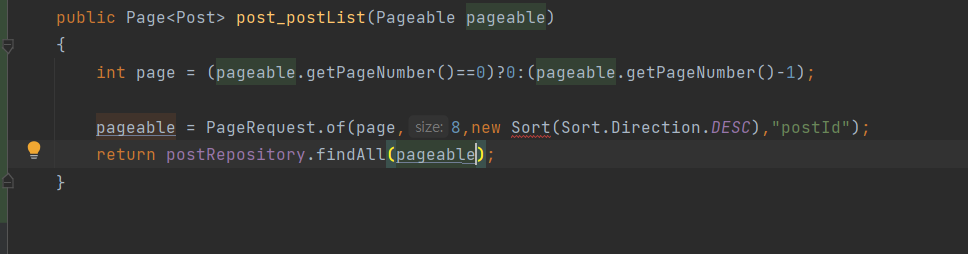
@Transactional
public Page<Post> post_postList(Pageable pageable)
{
    int page = (pageable.getPageNumber()==0)?0:(pageable.getPageNumber()-1);

    PageRequest pageRequest = PageRequest.of(page, 8, Sort.by(Sort.Direction.DESC, "postId"));
    return postRepository.findAll(pageRequest);
}
참고한 블로그에서는 pageable 객체에 값을 세팅해주는데 게시물을 나열할 때의 분류 방법이 적용이 되지 않아
PageRequest 객체에 현재 페이지와 size, 분류방법을 세팅해 findAll 메서드에 매개변수로 전달해 주었다.
Pageable의 index는 배열과 같이 첫번째 값이 0부터 시작하기 때문에 만약 getPageNumber가 6이 온다면
Pageable index는 5이기 때문에 -1을 해서 page를 세팅해 준다.
View
<!DOCTYPE html>
<html xmlns:th="http://www.thymeleaf.org"
xmlns:layout="http://www.ultraq.net.nz/thymeleaf/layout"
layout:decorate="layout/default_layout">
<th:block layout:fragment="css">
<link rel="stylesheet" href="/post/postlist.css" />
</th:block>
<th:block layout:fragment="content">
<body>
<div class="jumbotron">
<h2>스프링 부트 게시판</h2>
</div>
<table class="table">
<tr>
<th>방 번호</th>
<th>글 제목</th>
<th>글 내용</th>
<th>방 월세</th>
</tr>
<tr th:each="post: ${postList}">
<td th:text="${post.postId}"></td>
<td th:text="${post.title}"></td>
<td th:text="${post.context}"></td>
<td th:text="${post.mounthly}"></td>
</tr>
</table>
<nav style="text-align: center;">
<ul class="pagination"
th:with="start=${T(java.lang.Math).floor(postList.number/10)*10 + 1},last=(${start + 9 < postList.totalPages ? start + 9 : postList.totalPages})">
<li>
<a th:href="@{/post/postList(page=1)}" aria-label="First">
<span aria-hidden="true">First</span>
</a>
</li>
<li th:class="${postList.first} ? 'disabled'">
<a th:href="${postList.first} ? '#' :@{/post/postList(page=${postList.number})}" aria-label="Previous">
<span aria-hidden="true"><</span>
</a>
</li>
<li th:each="page: ${#numbers.sequence(start, last)}" th:class="${page == postList.number + 1} ? 'active'">
<a th:text="${page}" th:href="@{/post/postList(page=${page})}"></a>
</li>
<li th:class="${postList.last} ? 'disabled'">
<a th:href="${postList.last} ? '#' : @{/post/postList(page=${postList.number + 2})}" aria-label="Next">
<span aria-hidden="true">></span>
</a>
</li>
<li>
<a th:href="@{/post/postList(page=${postList.totalPages})}" aria-label="Last">
<span aria-hidden="true">Last</span>
</a>
</li>
</ul>
</nav>
</body>
</th:block>
</html>Controller나 Service에서는 복잡한 로직이 있지는 않았지만 개인적으로 Thymeleaf를 이용해 view에서 구현하는 코드가
이해가 어렵고 처음 보는 문법도 많아 한 줄씩 분석해 보려 한다.
  <ul class="pagination"
      th:with="start=${T(java.lang.Math).floor(postList.number/10)*10 + 1},
      last=(${start + 9 < postList.totalPages ? start + 9 : postList.totalPages})">
th:wtith문은 선언된 해당 태그 내에서 사용할 수 있는 변수를 지정할수 있도로 해주는 Thymeleaf문법이다
현재 선언된 start, last변수는 ul class = "pagiantion" 태그 안에서 사용할수 있는 변수인 것이다.
start 변수는 현재 페이지를 통해 현재 페이지그룹의 시작 페이지를 담고 있는 변수이고
last 변수는 전체 페이지 수와 현재 페이지 그룹의 시작 페이지를 통해 현재 페이지 그룹의 마지막 페이지를 담고 있는 변수이다.
<li th:class="${postList.first} ? 'disabled'">
  <a th:href="${postList.first} ? '#' :@{/post/postList(page=${postList.number})}" aria-label="Previous">
첫 번째 페이지로 가기버튼을 나타내는 html 코드이다. 첫번째 페이지의 page는 1이기 때문에
URL을 담아낼 수 있는 th:href 속성을 이용하여 첫 번째 페이지로 이동할 수 있도록 해준다
<li th:class="${postList.first} ? 'disabled'">
  <a th:href="${postList.first} ? '#' :@{/post/postList(page=${postList.number})}" aria-label="Previous">
이전 페이지로 가기 버튼을 나타내는 html 코드이다. th:class는 조건을 통해 클래스를 지정할 수 있다
{postList.first}? 'disable' 코드는 현재 페이지가 첫 번째 페이지면 이전 페이지 버튼을 사용할 수 없도록 해놓은 상태이다.
삼항 연산자를 통해 첫 페이지라면 #을 지정하고 아니라면 현재 페이지의 번호를 지정한다.
<li th:each="page: ${#numbers.sequence(start, last)}" th:class="${page == postList.number + 1} ? 'active'">
  <a th:text="${page}" th:href="@{/post/postList(page=${page})}"></a>
현재 페이지 그룹의 페이지를 나열해 주는 코드이다. th:each 반복문을 통해 위에서 지정했던 시작페이지를 담고 있는
start 변수와 마지막 페이지를 담고있는 last변수의 값들을 출력해 준다.
<li th:class="${postList.last} ? 'disabled'">
  <a th:href="${postList.last} ? '#' : @{/post/postList(page=${postList.number + 2})}" aria-label="Next">
다음 페이지로 가기 버튼을 나타내는 코드도 이전 페이지로 가기버튼을 나타내는 코드와 똑같다
현재 페이지가 마지막이라면 다음 페이지가 없으므로 disabled 해주고 아니라면 다음 페이지 URL을 전달한다.
<a th:href="@{/post/postList(page=${postList.totalPages})}" aria-label="Last">
  <span aria-hidden="true">Last</span>
마지막 페이지로 가기 버튼은 페이지의 전체페이지번호가 마지막 페이지기 때문에 전체 페이지를
URL에 전달한다.
Test
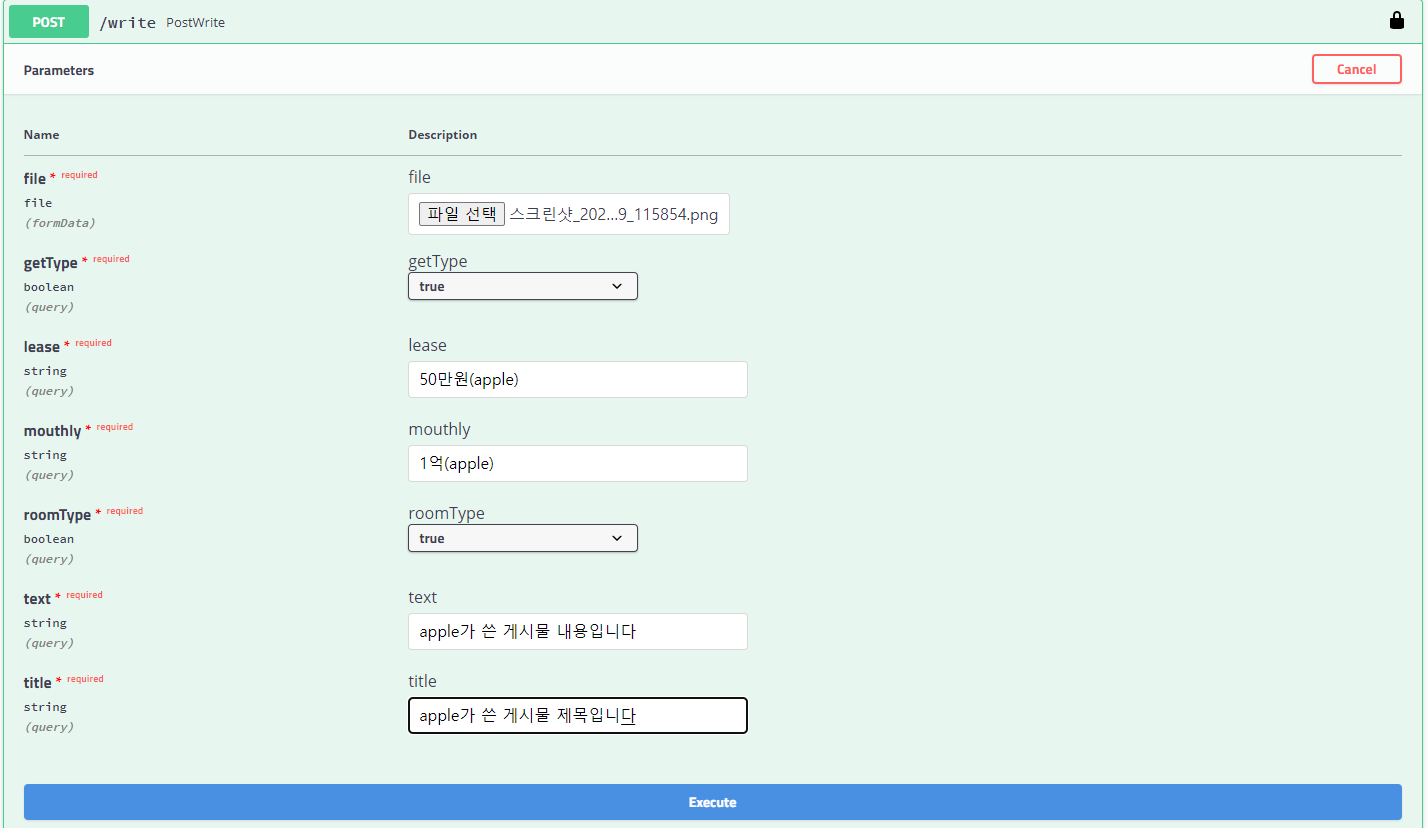
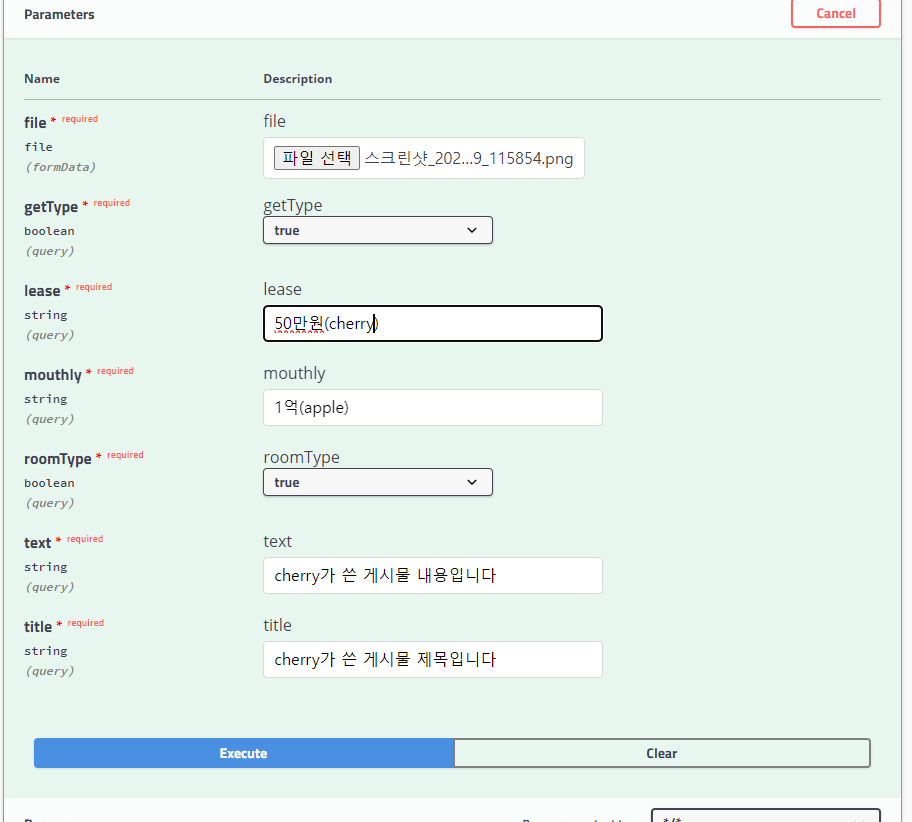
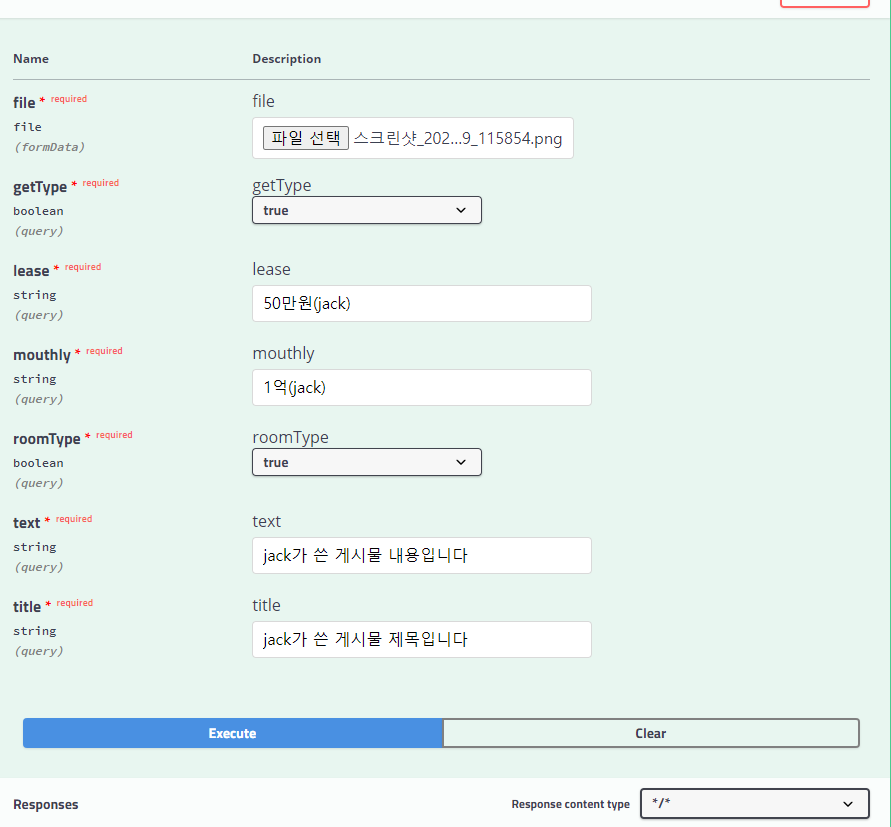
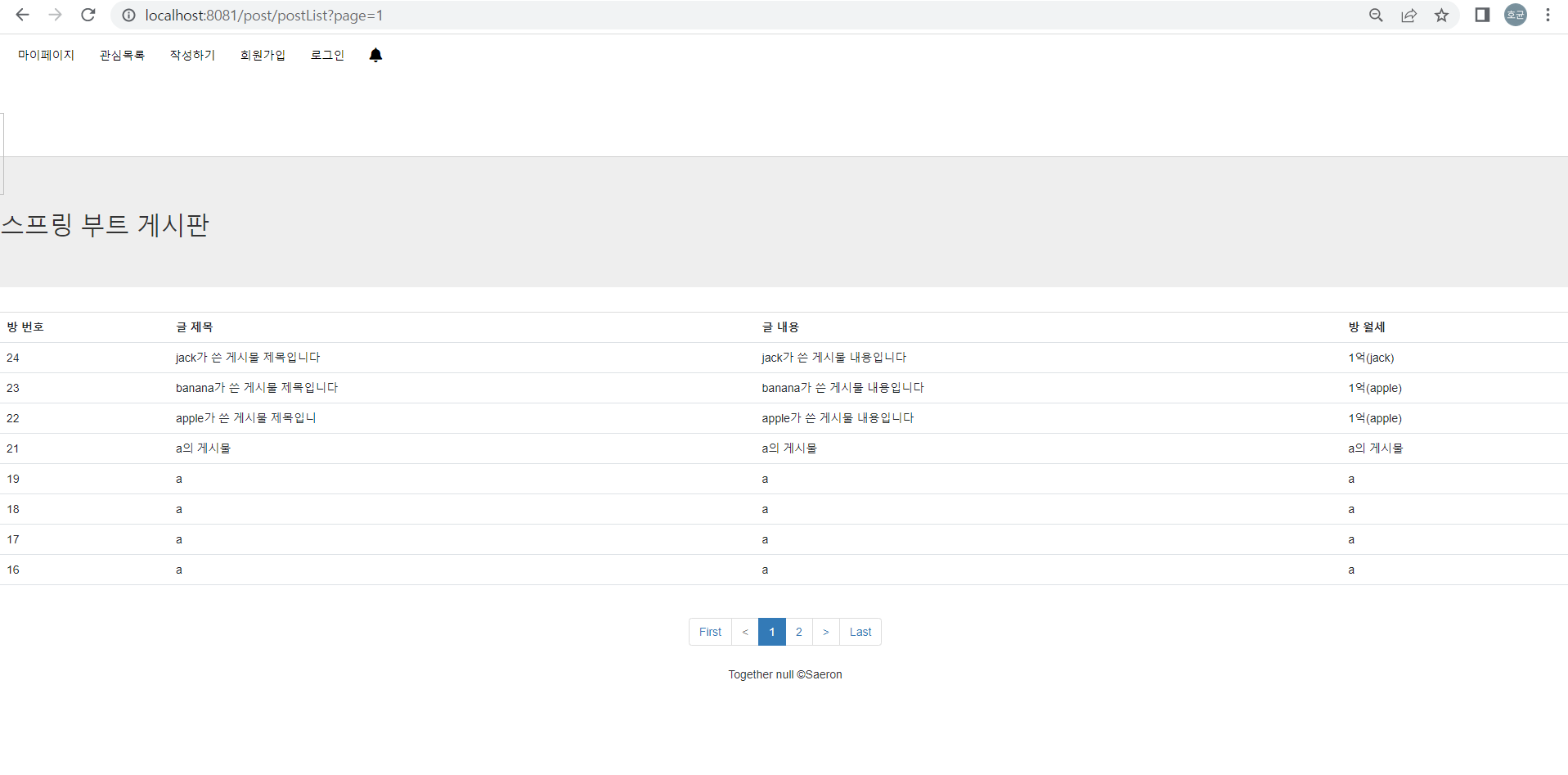
apple, banana, jack(타이타닉..) 세유저가 게시물을 작성했다고 가정한 상황이다.
최신순별로 게시물 목록이 나열된 모습을 확인할 수 있다.
이제 페이징도 구현해 보았다. 비록 다른 개발자분이 작성한 코드를 약간 오류만 수정했을 뿐이지만 이제 구글링이 두렵지 않다.
열심히 찾아서 기능 구현해야겠다. 이제 다음은 오늘 구현한 페이징 화면을 클릭했을 때 내가 만들어 놓은
게시물 세부사항 페이지가 동작해서 DB에 해당 id로 조회가 되고 출력이 된다면 너무나 뿌듯할 것 같다.
검색도 해야 한다. 그래도 뒤를 돌아보니 여러 가지 기능을 하나하나 구현한 것 같아서 기부니가 좋크든여